

30 Minute Virtual Thanksgiving Games HR Can Run With Copyable Scripts

Run a hybrid session that pairs one fast icebreaker, one collaborative game, and one gratitude activity, and your remote team gets a genuinely fun Thanksgiving without the Zoom fatigue that kills most virtual events. A browser-based tool like Gatherilla removes setup friction since nobody has to download anything. All you need is a browser, a working camera, and a platform that supports breakout rooms.
TL;DR:
- Most activities should support larger groups by including asynchronous options, such as shared gratitude walls or recipe boards, for inclusivity across time zones.
- Browser-based platforms like Gatherilla eliminate setup friction, enabling quick participation without downloads or plugin requirements, which reduces Zoom fatigue.
- Combining high-movement activities like scavenger hunts with seated games like trivia helps maintain energy variety and avoid session fatigue.
- Clear roles, technical checks, and backup plans are essential for smooth execution, especially for larger groups and potential technical failures.
- Keeping the event within 30 to 45 minutes with no more than three activities fosters engagement and prevents exhaustion on busy holiday days.
Table of Contents
- Virtual Thanksgiving Games That Actually Work for Remote Teams
- Build Your Agenda: Templates, Tech Checklist, and Roles
- Making It Inclusive Without Making It Awkward
- Why Browser-Based Games Cut Zoom Fatigue
- Keeping Every Age and Time Zone Engaged
- What to Do When the Tech Breaks
- Adjusting Games for Family Gatherings vs. Company Events
- A Straight Take on What Actually Works
- Try Gatherilla for Your Next Virtual Thanksgiving Session
- Sources
- FAQ
Virtual Thanksgiving Games That Actually Work for Remote Teams
Twelve to sixteen options is a lot to sort through when you have a calendar invite to send by Friday. Here’s a curated set, organized by how much prep each one takes and what it delivers.
Online Thanksgiving scavenger hunt. Give people 8 to 10 minutes to find household items (“something orange,” “your ugliest sweater,” “a book you haven’t finished”) and race back on camera. Use a countdown timer visible to everyone, score one point per item found within the limit, and close with a short story share from whoever finds the weirdest object. This is the highest energy opener on the list and works for groups of 5 to 50.
Thanksgiving trivia, split two ways. Run several holiday history questions alongside company trivia questions. Pull holiday questions from any public trivia bank; source company questions by asking long-tenured employees for obscure facts.
Gratitude bingo. Build a bingo card with squares like “traveled for the holiday,” “cooking the turkey this year,” “grateful for a coworker,” and have people mark squares that apply to them, then shout bingo in chat. Run one sharing round afterward where each bingo winner explains one marked square. This doubles as a listening exercise, not just a game.
Virtual escape room, low-prep version. Skip commercial escape room software and build a simple puzzle chain in a shared document. Three clues, each unlocking the next, themed around Thanksgiving trivia or company history. It takes more setup than most items on this list, but a 15 minute version for teams of 15 or fewer holds attention well.
Recipe swap or cook-along. Ask people to submit a photo of their favorite side dish recipe to a shared board before the event, or run a 10 minute live demo where one volunteer walks through a simple recipe on camera. The asynchronous version works better for teams spanning time zones.

Pictionary or charades with a turkey twist. Use a shared whiteboard tool or just screen share and draw with a mouse. Keep the word list Thanksgiving themed (cranberry sauce, Black Friday, food coma) and cap rounds at 60 seconds each.
Two Truths and a Turkey. The classic icebreaker with a seasonal name swap: each person shares three “facts” about their Thanksgiving history, two true and one invented, and the group votes on the lie. Score one point per correct guess. Works for any group size and needs zero prep.
This-or-That rounds using live polls. Stuffing or mashed potatoes, pie or cake, Black Friday shopping or staying home. Run five rounds using your video platform’s built-in poll feature and reveal results instantly. This is the fastest activity on the list, done in under five minutes, and works well as a transition between bigger games.
Background or costume contest. Ask people to set a Thanksgiving-themed virtual background or wear something festive, then vote using reactions or a poll for categories like “most creative” and “most likely to actually cook a turkey in that outfit.” Announce winners at the end of the main session.
Gratitude wall. Set up a shared digital board where people post sticky notes naming something or someone they’re thankful for at work. Moderate lightly to keep posts appropriate, and read a handful aloud before closing.
Minute-to-win-it micro-challenges. Stack a can with one hand, balance a spoon on your nose, or stack cups on video. Give each challenge exactly 60 seconds and run two or three back to back for a burst of movement.

Do-Good dash. Give teams 15 minutes to sign up for a short online volunteering task together, like writing thank-you notes for a nonprofit or reviewing a small dataset for a cause. It reframes gratitude as action instead of just a topic.
Advanced option: VR or immersive Thanksgiving experience. Some teams with existing headset access run an immersive cooking or scavenger simulation, but this requires hardware most remote employees don’t have and raises real accessibility questions. Treat it as a stretch option for tech-forward teams only, never as the default.
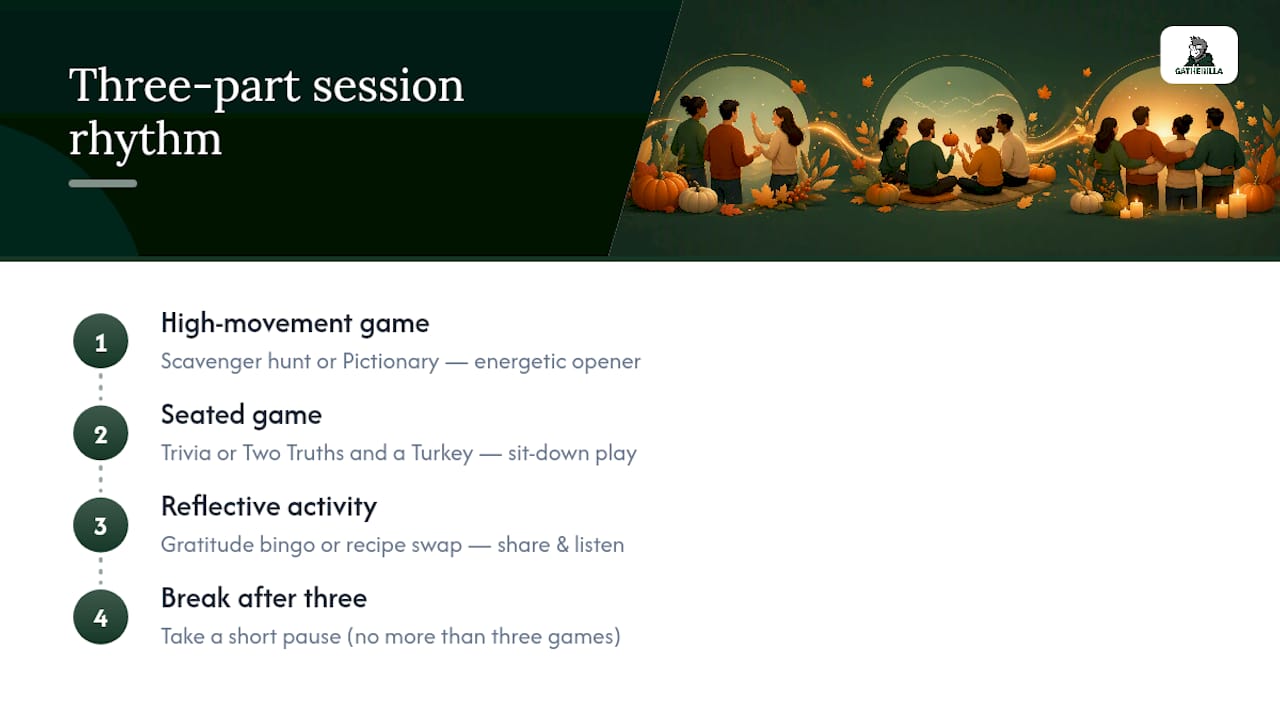
Pro Tip: Never run more than three games back to back without a break. Pair one high-movement game (scavenger hunt, minute-to-win-it) with one seated game (trivia, bingo) and one reflective activity (gratitude wall) to keep energy varied instead of flat.
Build Your Agenda: Templates, Tech Checklist, and Roles
A 30-minute session works as: 5 minutes icebreaker (Two Truths and a Turkey), 15 minutes collaborative game (trivia or scavenger hunt), 10 minutes gratitude bingo with a sharing round. A 45-minute version adds a 10-minute breakout round for smaller-group bonding. A 60-minute version fits a full scavenger hunt, trivia, gratitude bingo, and a Do-Good dash close.
Before you send the invite, confirm four things:
- Every participant’s browser supports your video platform without a plugin.
- Captions are turned on for anyone who needs them.
- Breakout rooms and polling are tested at least once beforehand.
- Prize draws use a neutral tool like Random instead of picking a favorite by hand.
Assign four roles ahead of time: a lead host running the agenda, a timekeeper watching the clock, a scorekeeper tracking points, and a breakout facilitator if you’re splitting into smaller groups. Skip expensive prizes. A half-day off, a $25 gift card, or public recognition in the next team meeting motivates people just as well as anything flashier.
Making It Inclusive Without Making It Awkward
Not every employee celebrates Thanksgiving, and some have complicated feelings about its history. Offer an opt-out with a genuine alternative, like a general “gratitude and connection” track that skips the holiday framing entirely.
If you open with any land acknowledgment, keep it short and factual rather than performative, and point people toward real resources if they want more context: the National Museum of the American Indian’s NK360 program and the National Archives’ research guides on Native American history both offer solid, vetted background.
Accessibility checklist:
- Captions on for every activity, not just the main presentation.
- A low-bandwidth version of each game (chat-based instead of video-based) for anyone with connection issues.
- At least one asynchronous option, like the gratitude wall or recipe photo board, for people in different time zones.
- Written prompts alongside spoken ones, since not everyone processes audio instructions equally fast.
Why Browser-Based Games Cut Zoom Fatigue
Zoom fatigue gets worse the more friction there is between “let’s play a game” and actually playing it. Downloads, logins, and app permissions eat the first five minutes of any event and drain the energy you were trying to build. A browser-based platform skips that entirely: people click a link and they’re in.
Multiplayer games, daily challenges, and live leaderboards all work inside the browser with no install step. The University of Colorado’s guidance on preventing Zoom fatigue recommends mixing media and limiting continuous screen time, which lines up with alternating a fast trivia round, a visual scavenger hunt, and a low-bandwidth gratitude activity in the same session. A sample agenda might use a daily challenge as the opener, a trivia game as the main event, and a leaderboard reveal as the closer, each one requiring zero setup from participants.
Keeping Every Age and Time Zone Engaged
A 25-year-old on Slack all day and a 55-year-old who prefers phone calls need different entry points into the same game. Give written instructions alongside verbal ones so nobody has to guess what’s happening from a fast-talking host. Keep font sizes large on shared screens and avoid games that assume familiarity with specific apps or internet culture references.
For time zones, run the live portion during a window that overlaps most people’s working hours, and build in an asynchronous piece, like the gratitude wall or a recipe photo board, so someone joining eight hours off doesn’t miss everything. Send team lists and breakout assignments before the meeting starts. When people already know who’s in their group, you cut the awkward “wait, who am I with” delay that eats the first few minutes of any breakout activity.
Mix generational communication styles into the game design itself. A scavenger hunt works for everyone regardless of age, while a poll-based This-or-That round appeals to people who’d rather click than talk. Running both in the same session covers more participation styles than betting on just one format. For larger, more varied groups, icebreaker games designed for scale tend to hold attention better than something built for a team of eight.
What to Do When the Tech Breaks
Plan for failure before it happens, because something will glitch during at least one virtual event this season. Have a backup video link ready in a pinned chat message or calendar note, in case your primary platform goes down mid-session. If breakout rooms fail to load, default to a simple workaround: split people by having them mute and rejoin in prearranged smaller call links you set up in advance.
For games that depend on a shared screen or whiteboard, have a text-based fallback ready. Trivia can move to chat-based answers instead of a poll if the polling feature breaks. Bingo cards work fine as a shared document link instead of a live interactive board.
Appoint one person, separate from the lead host, whose only job is troubleshooting tech issues while the host keeps the agenda moving. That person should have direct messages ready to send affected participants with alternate instructions, so the whole group doesn’t stall waiting on one person’s connection.
Finally, build a five-minute buffer into your agenda. If nothing breaks, use it for extra gratitude wall time. If something does break, that buffer is what keeps the whole session from running over and eating into people’s actual holiday time.
Adjusting Games for Family Gatherings vs. Company Events
The same core games work in both settings, but the tone and stakes shift. A family Two Truths and a Turkey round can get personal fast, kids and grandparents included, while a company version needs to stay professional enough that nobody’s oversharing in front of their manager.
Trivia is the clearest example of this difference. A family game can lean hard into inside jokes and shared history nobody outside the family would understand. A company version needs broadly accessible questions, holiday history mixed with light company trivia, so a new hire three weeks into the job doesn’t feel completely lost. That same broad-accessibility principle matters for onboarding trivia aimed at new hires, where the goal is inclusion over insider humor.
Prizes work differently too. Family games might play for bragging rights or a homemade pie. Corporate events need prizes that read as generous but not extravagant, gift cards, half-days off, or public recognition, since anything too lavish can create awkward comparisons across pay grades or tenure.
Group size changes the math as well. Family Thanksgiving calls usually run 5 to 15 people, small enough that everyone can talk in the same room without breakouts. Company events often run 30, 50, or more, which means breakout rooms aren’t optional. They’re the only way anyone gets real face time instead of watching a gallery view of muted squares.
A Straight Take on What Actually Works
Psychological safety beats production value every time. A slightly rough trivia round where people feel safe joking around beats a polished game where nobody wants to go first. Keep formats short, three activities max, 30 to 45 minutes total, and build in an opt-out for anyone who doesn’t want the Thanksgiving framing.
Do: send instructions ahead of time, test your tech once, and let quieter people pass without pressure. Don’t: run more than 45 minutes straight, assume everyone celebrates the holiday the same way, or skip the asynchronous option for distributed teams.
— Thomas
Try Gatherilla for Your Next Virtual Thanksgiving Session
Gatherilla replaces the download-and-login hassle of most virtual event tools with games that run entirely in the browser, which matters most on a day when half your team is already juggling holiday logistics. Every game covered above (trivia, bingo, scavenger hunts) maps directly onto Gatherilla’s multiplayer format, so you’re not building from scratch.
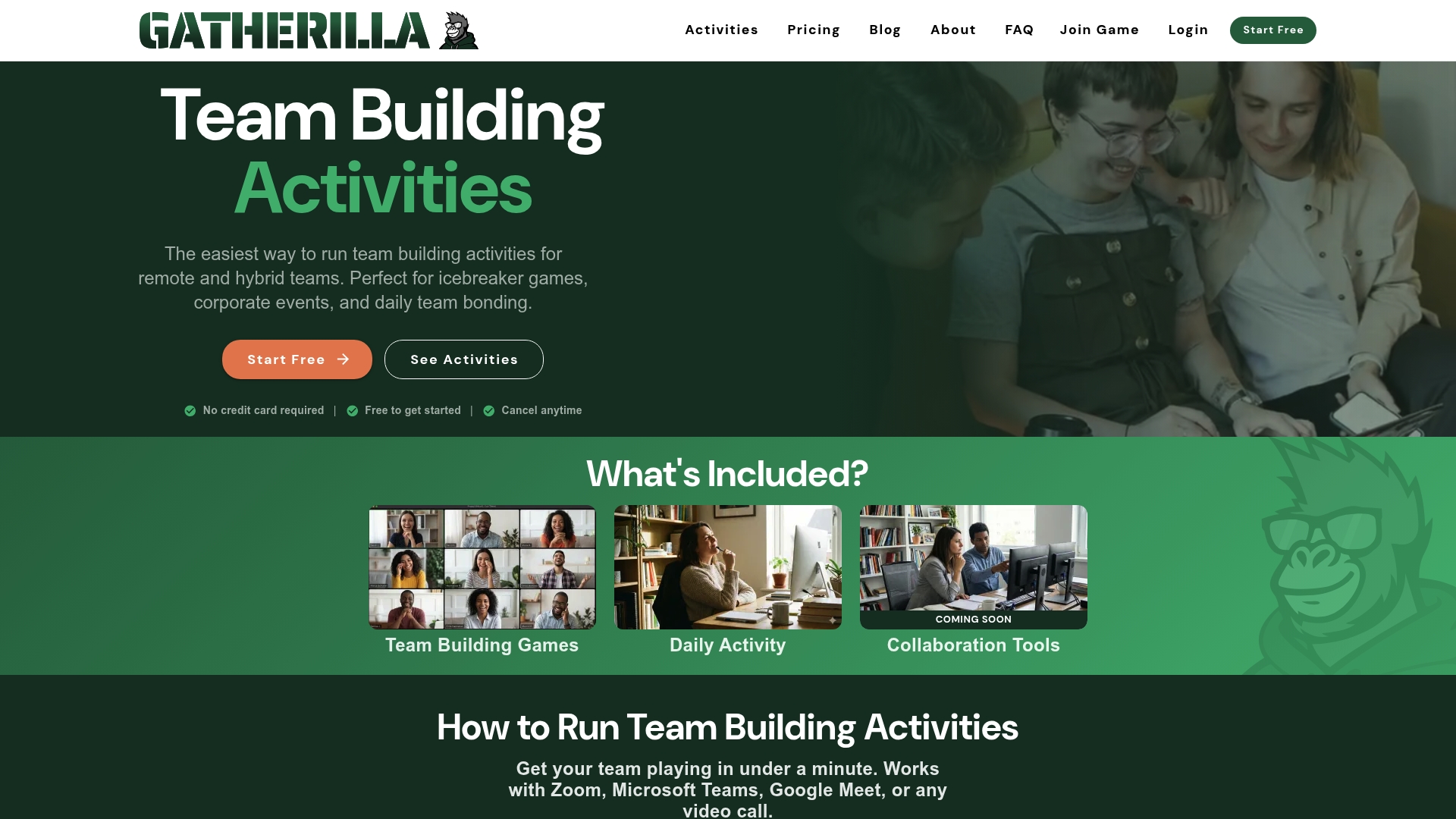
- Quick setup: no downloads, no plugins, just a shared link.
- Activities supported: trivia, daily challenges, and collaborative multiplayer games built for remote teams.
- Built-in leaderboards and analytics so you can see participation without chasing people down afterward.
If your Thanksgiving invite is due out this week, check out Gatherilla and get a session running before the holiday rush hits your calendar.
Sources
- National Museum of the American Indian — NK360
- National Archives — Research guides: Native Americans
- 8 tips and tricks to prevent Zoom fatigue (University of Colorado)
- Random
FAQ
What are fun games to play virtually?
Scavenger hunts, trivia, and gratitude bingo top the list for remote teams because they need no special software and work for groups of any size. Pair a fast-moving game with a slower reflective one to keep energy balanced across a session.
What are some fun Thanksgiving games for adults?
Two Truths and a Turkey, This-or-That polls, and a costume or background contest all work well for adult groups since they lean on humor and light competition rather than childhood-style games. Trivia mixing holiday history with pop culture also lands well with adult audiences.
What are some free games I can play on Thanksgiving?
Gratitude bingo, scavenger hunts, and Two Truths and a Turkey cost nothing beyond a video call link, since they use items people already have and questions you can write yourself. A platform like Gatherilla also offers free-tier access to browser-based multiplayer games for teams wanting more structure.
What are some fun activities I can do at work for Thanksgiving?
A 30-minute session combining an icebreaker, a trivia round, and a gratitude wall covers the range most workplaces need without eating into a full afternoon. Adding a short Do-Good dash volunteer activity gives the event a purpose beyond entertainment alone.
How long should a virtual Thanksgiving event run?
Thirty minutes covers a tight three-activity program, while 60 minutes allows for breakout rounds and a volunteer activity without feeling rushed. Sessions longer than an hour tend to lose energy fast, especially on a day when people have other holiday commitments.